


Send this cart to a colleague or customer — they can load it into their own cart in one click.
Share a Shopping Cart
Built a cart someone else needs to see? Send it to a colleague, your purchasing department, or your local ZAC sales rep. Whoever opens it can load the whole cart into their own with one click, so nobody retypes a part number.
-
Fill your cart, then open it
Add everything you need in the usual way. The number on the cart icon in the top right is how many items you have. Click the icon to open your cart.

Six trenching shovels in the cart, ready to send. -
Click Share Shopping Cart
Your cart slides out from the right. Under the checkout buttons is Share Shopping Cart. Nothing is sent yet, and sharing does not empty your cart or place an order.
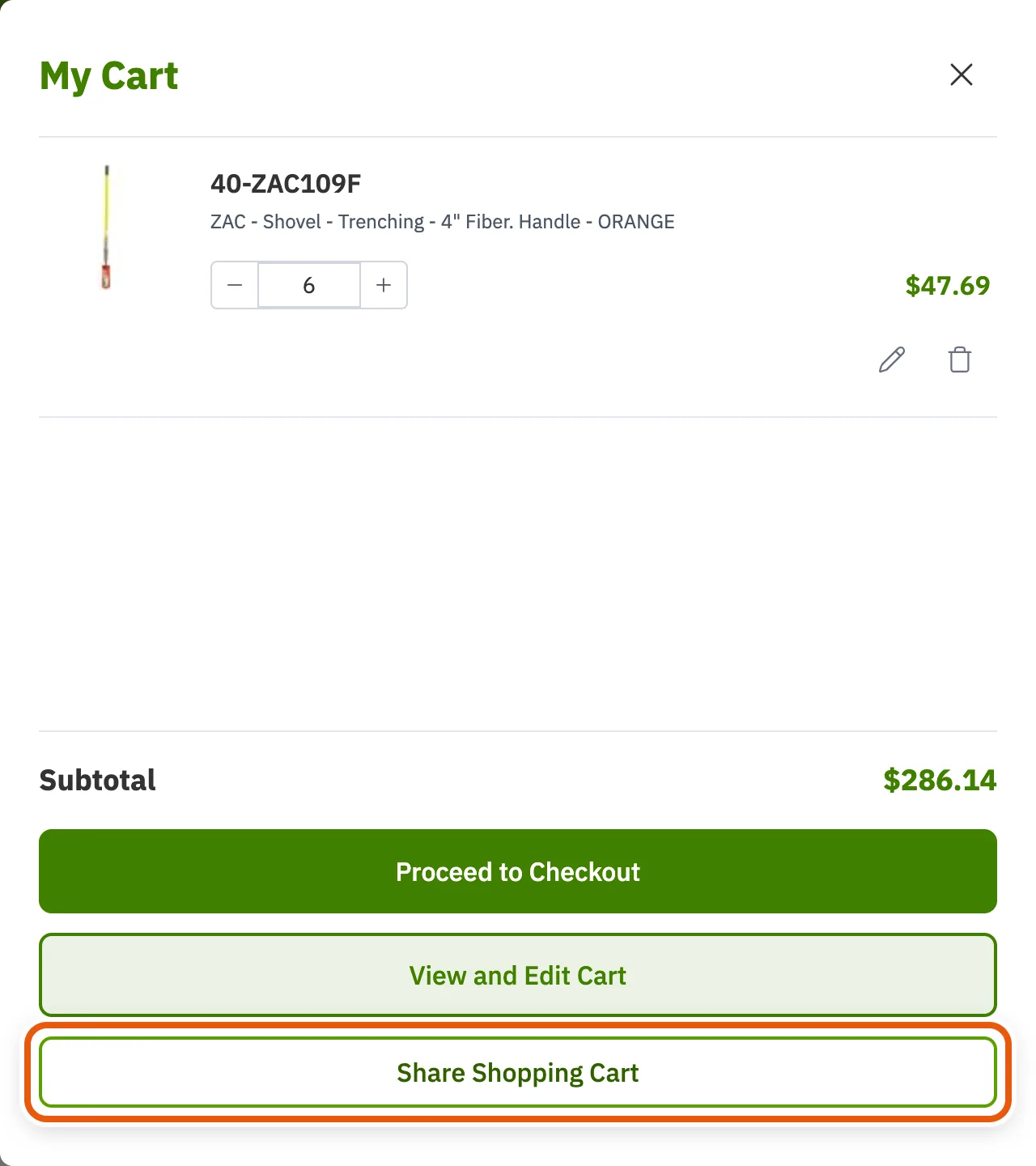
-
Choose how to send it
Two ways to share: send it straight to someone by email, or get a link you can paste anywhere. Both send the same cart.
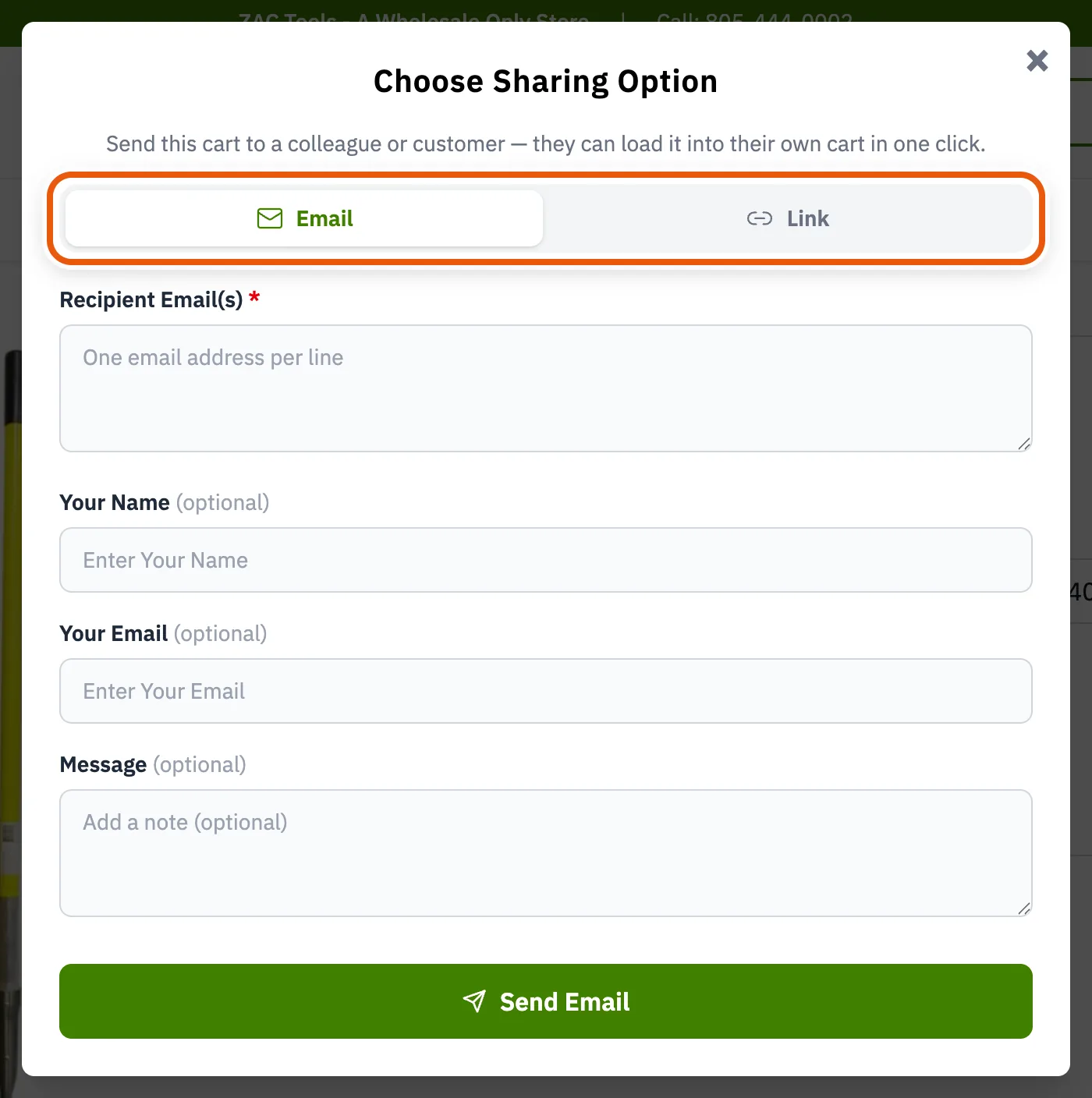
-
Send it by email
Enter one address per line to send to several people at once. Your name, your email and a message are all optional, but a short note saying which job the cart is for saves a phone call later.
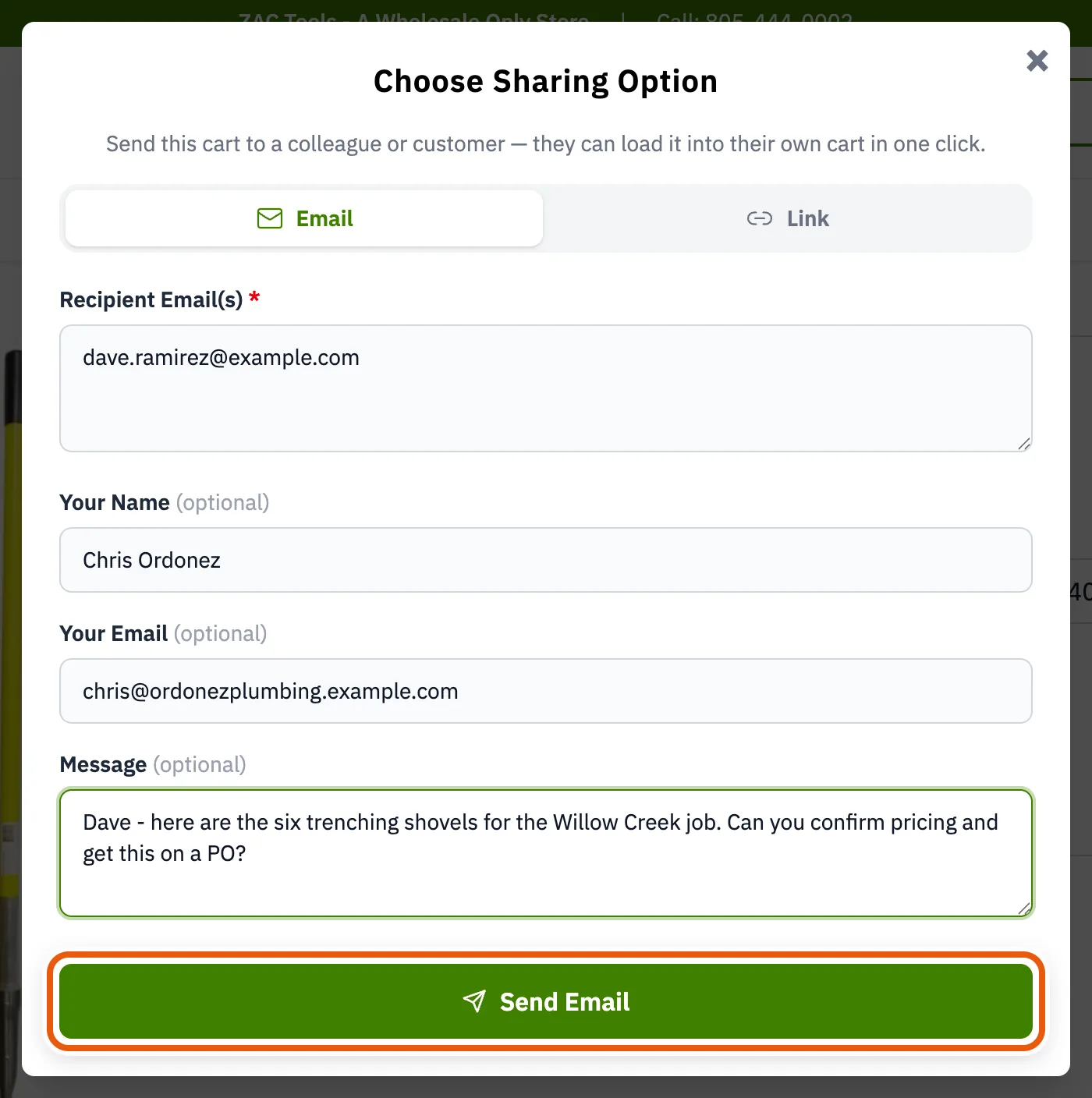
Click Send Email and the cart is on its way. -
Or copy a link instead
Switch to the Link tab and click Get Link. You get a private web address for this cart that you can paste into your own email, a text message, or a purchase order.
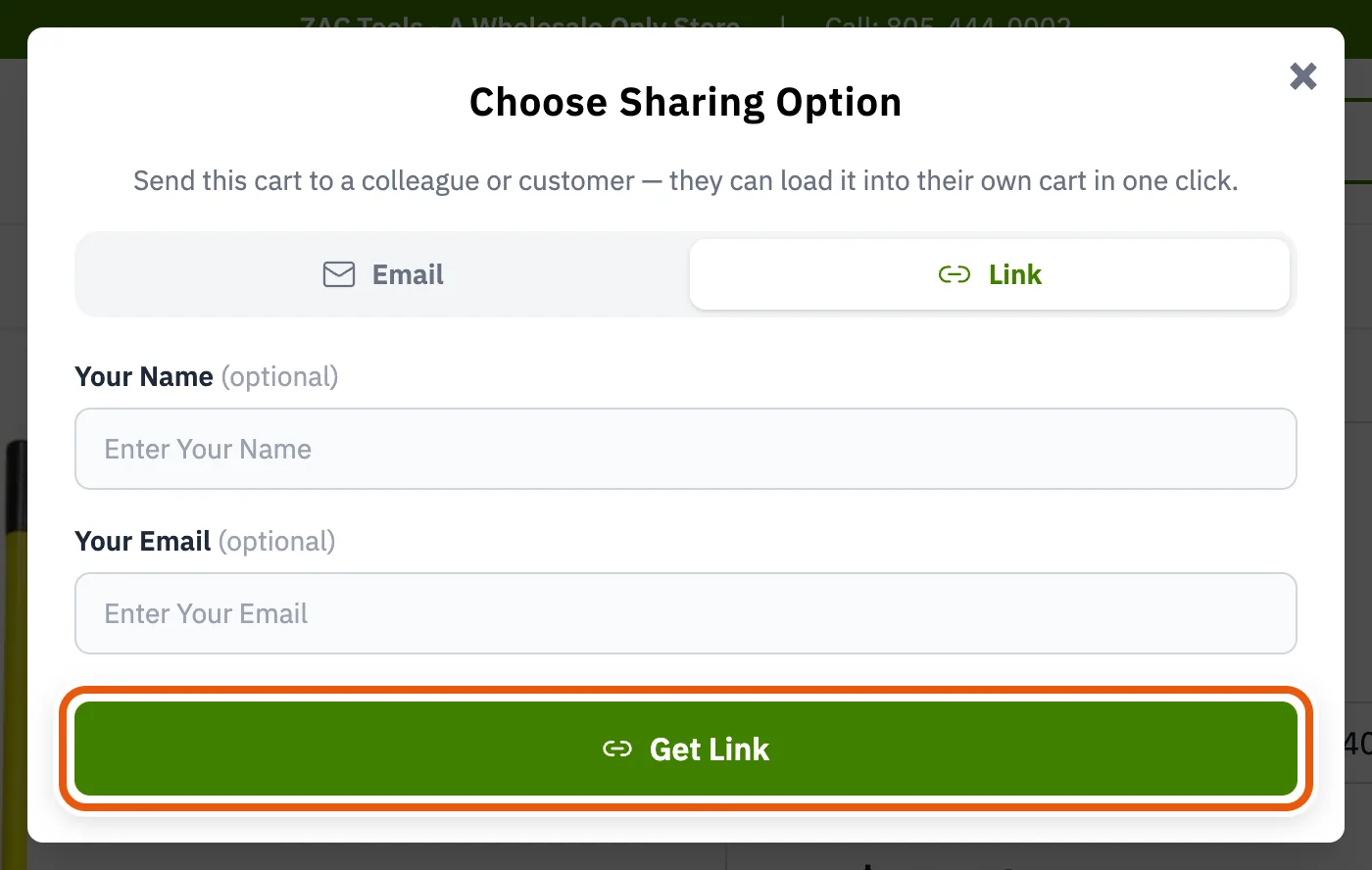
Whoever receives the cart sees the same items and can load them straight into their own cart. They will need their own approved wholesale account to see their pricing and place the order.